How to Generate and Submit an XML Sitemap: The Ultimate Guide

Nowadays, creating a website is only half the worry for getting a business online. The other half of the concern, and arguably the more critical one, is ensuring that people can actually find your website. This is where Search Engine Optimization (SEO) comes into play. While keyword research, backlink building, and content strategy are often the "glamour" stats of SEO, there is a fundamental technical element that serves as the bedrock of your site’s visibility, and that is The XML Sitemap.
In this article, we will walk you through everything you need to know about sitemaps: what they are, why they are important for modern SEO, and most importantly, how to generate a sitemap automatically without writing a single line of code using the Fast Sitemap Generator on Apify. Finally, we’ll show you how to submit your sitemap to Google Search Console to get your pages indexed faster than ever before.
What is an XML Sitemap and Why Do You Need One?
An XML Sitemap (Extensible Markup Language) is a text file that lists all the URLs on your website that you want search engines to index. But it’s more than just a list; it provides crucial metadata about each URL, including:
- Last Modified Date (
<lastmod>): Tells Google when the page was last updated, encouraging re-crawling of fresh content. - Change Frequency (
<changefreq>): A hint to crawlers about how often the page changes (e.g., "daily" for a news homepage vs. "yearly" for an "About Us" page). - Priority (
<priority>): A numerical value (0.0 to 1.0) indicating the relative importance of a page within your site.
The Benefits of XML Sitemaps
You might ask, "Doesn't Google crawl my site anyway?" Yes, but relying solely on Google's crawler (Googlebot) following links has limitations:
- Isolated Pages: If a page isn't linked to from another page (an "orphan page"), Googlebot can't find it. A sitemap lists it explicitly.
- New Websites: New sites have few backlinks. Without a reputation, crawl budgets are low. A sitemap requests immediate attention.
- Large Archives: E-commerce sites or blogs with thousands of pages can confuse crawlers. A sitemap ensures deep pages aren't ignored.
- Rich Media: Specialized sitemaps (Video, Image) help your multimedia assets appear in Google Images and Video Search.
The Old Way vs. The Automated Way
Historically, creating a sitemap was a tedious task.
- The Manual Method: Opening a text editor and hand-coding
<url>tags. For a 5-page site, it’s fine. For a 100-page site, it’s a nightmare. One typo breaks the file. - CMS Plugins: If you use WordPress, plugins like Yoast are great. But what if you have a custom React/Next.js site like this one? Or a static HTML site? Or what if you want to audit a competitor's site structure? Plugins don't work there.
- Desktop Crawlers: Tools like Screaming Frog are powerful but resource-heavy. They tie up your computer, rely on your local internet connection (slow), and require manual exporting and uploading.
The Solution: Cloud-Based Automation
Enter Apify Actors. Actors are serverless cloud programs that perform specific tasks. The Apify Fast Sitemap Generator is a specialized Actor developed to solve the sitemap problem effortlessly. Unlike desktop tools, it runs in the cloud, works on any website, and is completely automated and fast.
How to Generate an XML Sitemap with Apify
In this section, we are going to use the Apify Fast Sitemap Generator Actor to crawl a website and produce a compliant XML sitemap, along with HTML and TXT versions.
Fast Sitemap Generator on Apify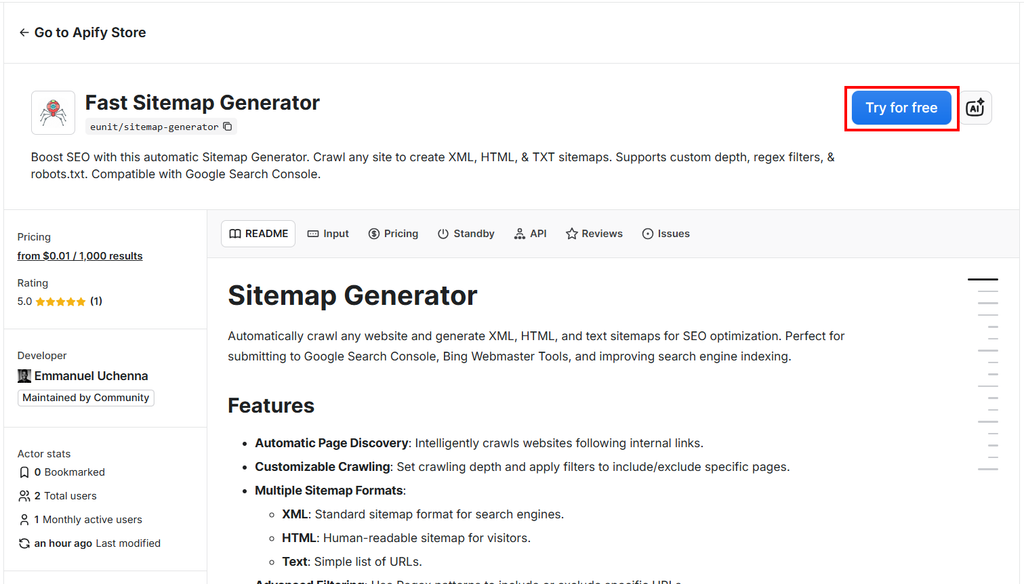
Step 1: Access the Tool
Navigate to the Sitemap Generator Actor on Apify.
Note: You will need an Apify account. The free tier is generous enough for testing and small crawls. Create one by signing up on Apify.
This specific Actor uses a Direct Connection, meaning it crawls directly from the data center without proxies. This ensures high speed and lower costs, though it requires your target site to be accessible to standard web traffic.
Step 2: Configure Your Input
Once you click "Try for free" or "Run", you’ll be taken to the Apify Console. Here is where you tell the crawler what to do.
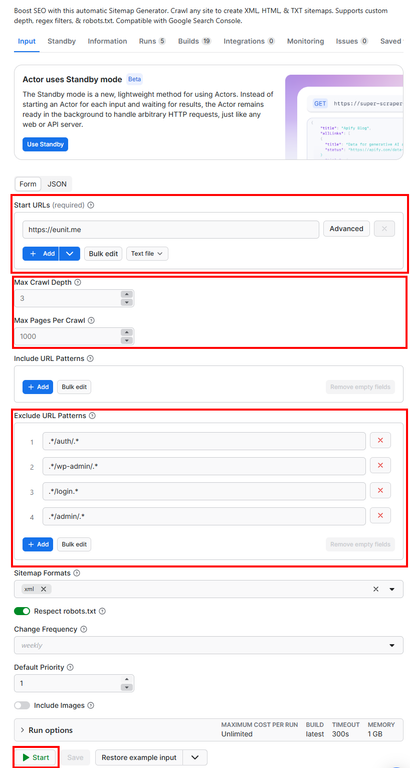
Fast Sitemap Generator - Configuration
1. Start URLs:
In the Start URLs field, enter the homepage of the site you want to map.
- Example:
https://www.your-website.com
2. Crawl Depth (maxCrawlDepth):
This determines how "deep" the crawler goes.
- Depth 0: Just the homepage.
- Depth 1: Homepage + pages linked directly from it.
- Depth 3 (Default): Usually sufficient for most sites to find all content.
Tip: Set this to
10+if your site has endless pagination or deep category structures.
3. Filtering with Regex (includePatterns / excludePatterns):
This is the Actor's standout feature. You do not want to index your admin pages, cart pages, authentication pages, or user-specific accounts.
- Exclude: Add patterns like
.*/admin/.*,.*/login.*, or.*/cart.*to skip these. - Include: Leave empty to crawl everything, or specify patterns to only map a blog section (e.g.,
.*/blog/.*).
4. Formats: Select the outputs you need.
xml: Essential for search engines. Recommended.html: Great for a visible "Site Map" page for human visitors.txt: A simple list of URLs, often used for content audits or programmatic processing.
Step 3: Run the Generator
Click the green Start button at the bottom. The Actor will now:
- Launch: Spin up a container in the cloud.
- Crawl: Systematically visit every link on your site, respecting your
robots.txtrules (unless you disabled that option). - Construct: Build the XML structure with the correct
lastmoddates. - Save: Store the files in a persistent Key-Value Store.
Why is this better?
- Pay-Per-Event Pricing: You only pay for the pages successfully discovered. Efficiency is built in.
- Speed: It can process thousands of pages in minutes without using your computer's RAM.
Step 4: Retrieve Your Sitemap
Once the run shows "Succeeded", navigate to the Output tab. You will see a Dataset containing the direct links to your generated files.
It will look something like this:
{
  "format": "xml",
  "url": "https://api.apify.com/v2/key-value-stores/YOUR_STORE_ID/records/sitemap.xml"
}
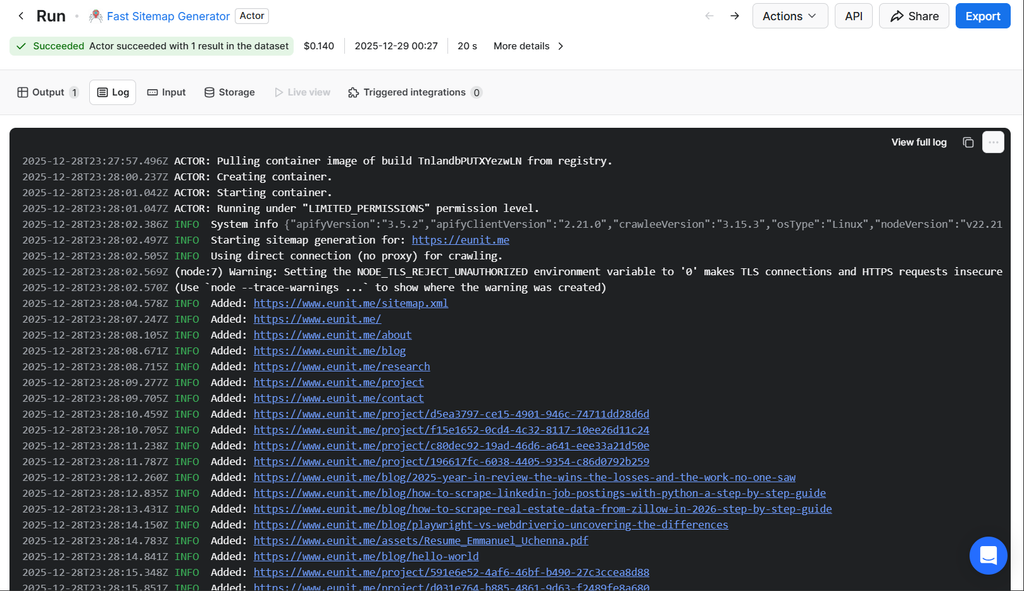
Fast Sitemap Generator - Log
Click the link to download your sitemap.xml.
Pro Tip: You can also download the
sitemap.htmlfile and upload it to your site to instantly create a helpful navigation page for users!
How to Submit Your Sitemap to Google Search Console
Now that you have the file, you need to inform Google where it is located.
Phase A: Upload to Your Server
- Download the
sitemap.xmlfrom Apify. - Upload it to the root directory of your website via FTP or your hosting file manager (e.g.,
public_html). - Your sitemap should be accessible at:
https://www.your-website.com/sitemap.xml.
Phase B: Submit to GSC
- Log in to Google Search Console.
- Select your property (website) from the dropdown.
- In the left sidebar, click on Sitemaps (under the "Indexing" section).
- In the "Add a new sitemap" field, enter the filename (e.g.,
sitemap.xml). - Click Submit.
Phase C: Verify
Google will process the submission instantly. You should see a status of "Success".
- If you see "Could not fetch", wait a few hours or double-check that your URL is publicly accessible.
- Clicking on the submitted sitemap will show you the "Discovered URLs" count. Does this match the number of pages the Apify Actor found? If so, you’re golden!
Advanced Automation: Set It and Forget It
The beauty of using the Apify Sitemap Generator lies in its ability to automate tasks. Your website content changes, you add blog posts, remove products, and update pages. Your sitemap must reflect these changes, or Google will be indexing "dead" content.
Use the Google Indexer & Instant SEO Submitter Actor
The Google Indexer & Instant SEO Submitter Actor on Apify enables you to automatically submit your generated sitemap to Google programmatically, instead of having to go through the above-listed phases (A-C). We wrote a detailed guide on How to Submit Sitemap to Google Programmatically.
Google Indexer & Instant SEO Submitter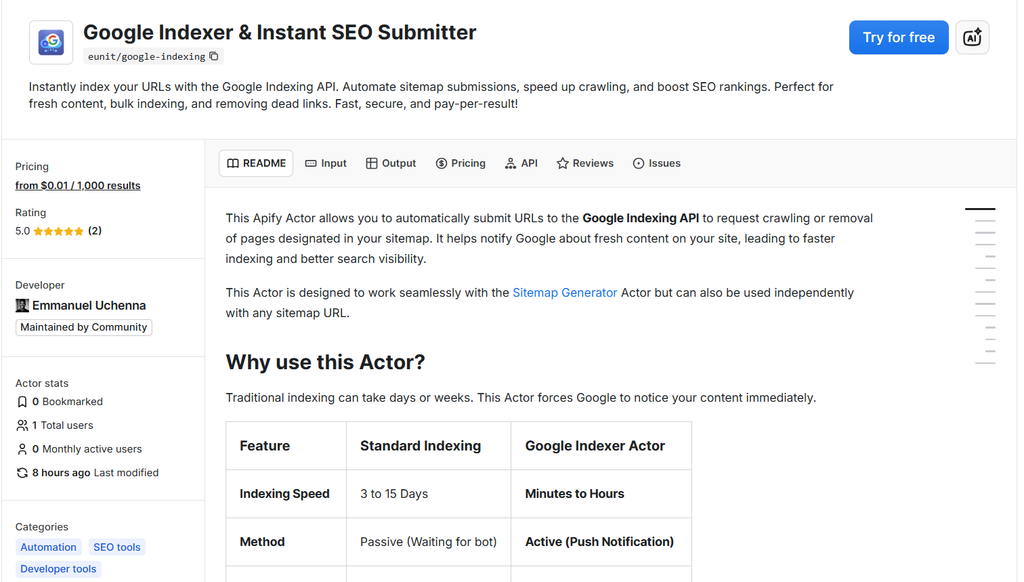
Wrapping Up
An XML sitemap is a small file with a massive impact. It is the bridge between your content and the search engines that deliver your audience. By moving away from manual creation and using automated, intelligent tools like the Sitemap Generator Actor, you ensure that this bridge is always sturdy, accurate, and open for traffic.
Happy Crawling!

Emmanuel Uchenna
@eunit99Hi, I’m Emmanuel Uchenna — a frontend engineer, technical writer, and digital health advocate passionate about building technology that empowers people. With over five years of experience, I specialize in crafting clean, scalable user interfaces with React, Next.js, and modern web tooling, while also translating complex technical ideas into clear, engaging content through articles, documentation, and whitepapers.